Play Game Text Effect: Your Illustrator Shortcut to Dynamic Graphics
In the fast-paced world of digital design, efficiency is just as valuable as creativity. We often spend hours tweaking gradients, aligning shadows, and adjusting textures to make flat typography pop off the page. If you have ever struggled to create that specific "gamer" aesthetic—something bold, textured, and energetic—manually, you know how time-consuming it can be. Enter the Play Game Text Effect. This isn't a traditional font file that you simply type with; it is a specialized asset designed specifically for Adobe Illustrator that transforms standard text into high-impact visual statements.
Understanding the "Not a Font" Distinction
It is important to clarify what this asset is, as it often confuses those new to design assets. When you download the Play Game Text Effect, you are not getting a .ttf or .otf file that you install into your system fonts folder. Instead, you are acquiring an Adobe Illustrator file (usually in .ai or .eps format). This file contains a pre-configured Appearance panel or Graphic Style that utilizes Illustrator’s powerful vector capabilities to map textures, gradients, and lighting effects onto any text you choose.
The primary advantage here is versatility. Because this is an effect rather than a static font, it works with virtually any typeface you already own. Whether you prefer a heavy sans serif font for impact or a jagged serif font for a classic arcade vibe, the Play Game Text Effect can be applied instantly. It bridges the gap between standard typography and complex graphic design, allowing you to maintain the legibility of your chosen font while adding the visual flair of a premium font asset.
Visual Style and Aesthetic Appeal
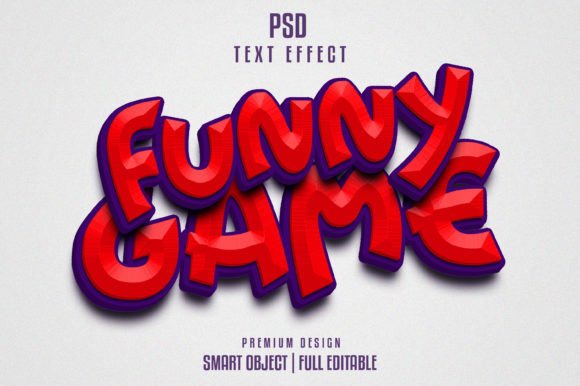
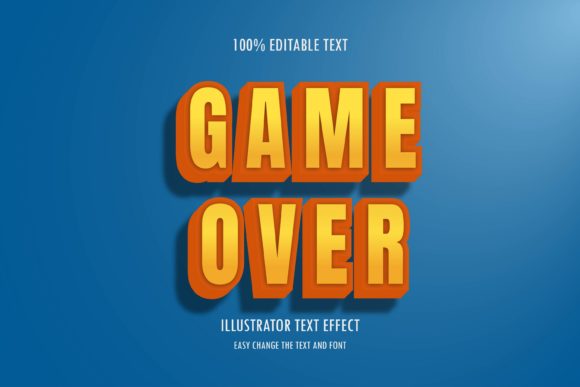
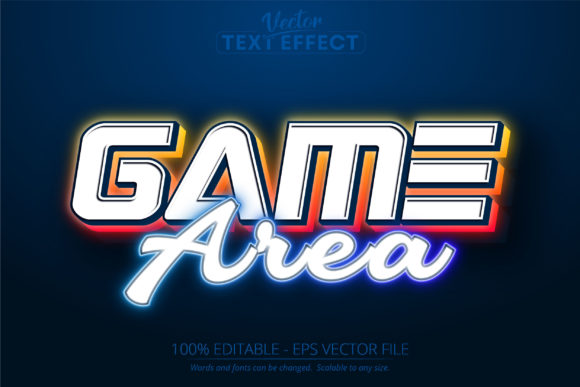
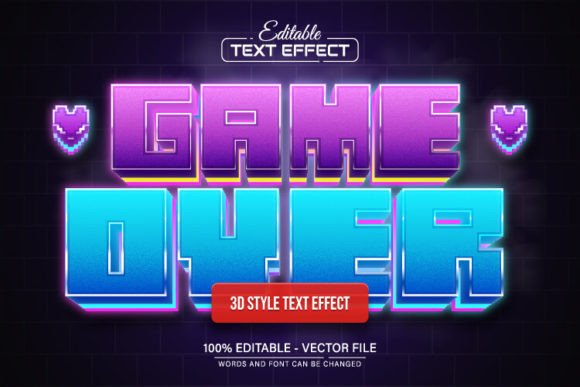
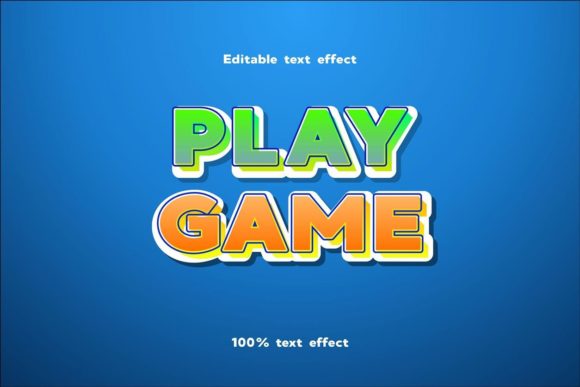
Visually, the Play Game Text Effect captures the essence of modern gaming culture. It typically features deep bevels, metallic textures, and glowing highlights that mimic the neon lights of an arcade or the high-gloss finish of a AAA game title. The style is unapologetically bold. It is designed to grab attention immediately, making it a perfect fit for headers, logos, and hero images where first impressions matter.
The personality of this effect is energetic and competitive. It speaks to a younger, digital-native audience but retains enough polish to be used in professional brand identity work. Unlike a standard display font that might rely solely on shape, this effect adds depth and dimension. It turns flat letters into 3D objects. This depth is crucial for creating a sense of immersion, drawing the viewer into the content whether it is on a screen or printed on a poster.
Practical Applications Across Industries
While the name suggests a niche use case, the applications for the Play Game Text Effect are surprisingly broad. For content creators and YouTubers, this asset is a lifesaver. Creating consistent, high-quality thumbnails is essential for click-through rates. By applying this effect to your video titles, you create an instant visual signature that viewers will recognize, aiding in brand consistency and audience retention.
For small business owners and entrepreneurs, particularly those in the tech, entertainment, or event sectors, this effect can define a marketing campaign. Imagine using it for a "Grand Opening" flyer or a "Black Friday Sale" banner. The urgency and excitement inherent in the "gamer" style translate perfectly to sales and events. It is also highly effective for packaging design, especially for products targeting younger demographics, such as energy drinks, snacks, or tech accessories.
Bloggers and publishers can also leverage this tool for editorial design. While you wouldn't use this for body text—it is far too decorative for long-form reading—it is ideal for pull quotes, section headers, or featured article titles on a website. It breaks up the monotony of standard web design layouts and adds a creative spark that keeps readers engaged.
Strategic Impact on Brand Perception
Typography is never just about letters; it is about voice. Choosing the Play Game Text Effect signals that a brand is modern, tech-savvy, and dynamic. In the realm of brand identity, consistency is king. Because this effect is 100% editable and scalable to any size, you can use it across your social media graphics, website headers, and print materials without losing quality. This scalability ensures that your brand looks professional whether it is viewed on a 4K monitor or a business card.
Furthermore, using a creative font effect like this helps in visual hierarchy. In logo design or layout work, you need to guide the viewer's eye. The high contrast and texture of the Play Game Text Effect naturally draw the eye to the most important information first. It creates a focal point that anchors the rest of the design, allowing you to pair it with cleaner, more neutral body text (like a standard modern typography sans-serif) for balance.
Tips for Implementation and Font Pairing
To get the most out of the Play Game Text Effect, you need to treat it like a design partner, not just a filter. Here are some practical tips for integrating it into your workflow:
- Choose the Right Base Font: While it works with any font, it shines brightest with typefaces that have a solid structure. Heavy sans-serifs and blocky serifs tend to hold the effect better than delicate script fonts or thin handwritten fonts. The texture needs surface area to display correctly.
- Test for Readability: Because the effect adds texture and depth, it can sometimes obscure smaller text. Always test your design at the intended output size. If you are designing for mobile web design, ensure the text remains legible on small screens.
- Manage Your Layers: Since this is an Adobe Illustrator asset, keep your layers organized. Apply the effect to a separate text layer so you can easily swap out words or adjust kerning without disrupting the underlying design structure.
- Consider Commercial Licensing: If you are using this for client work or products for sale, ensure your license covers commercial use. Most design assets of this nature are royalty-free for end products, but it is always best practice to check the terms to protect your business.
Ultimately, the Play Game Text Effect is a tool of efficiency and style. It allows designers, marketers, and creators to punch above their weight class, delivering professional, high-impact visuals without the steep learning curve of manual 3D modeling. Whether you are launching a new brand, designing a flyer, or creating the next viral social media post, this asset provides the visual "power-up" you need to stand out in a crowded digital landscape.